Quality Score is a Google Ads diagnostic score from 1 to 10 at the keyword level. It shows how relevant and useful your ad and landing page are to a user compared with other advertisers. The ad system was called Google AdWords until 2018, so the old name still appears in interface guides and search queries.
Quality Score is not an auction input. It is a diagnostic report. In the auction itself, Google evaluates ad quality in real time together with the bid, query context, competition, and the expected impact of ad assets.
A high score is not a campaign goal by itself. Use it as a clue: where the “keyword — ad — landing page” combination falls behind competitors and what exactly to check.
Updated August 11, 2026.
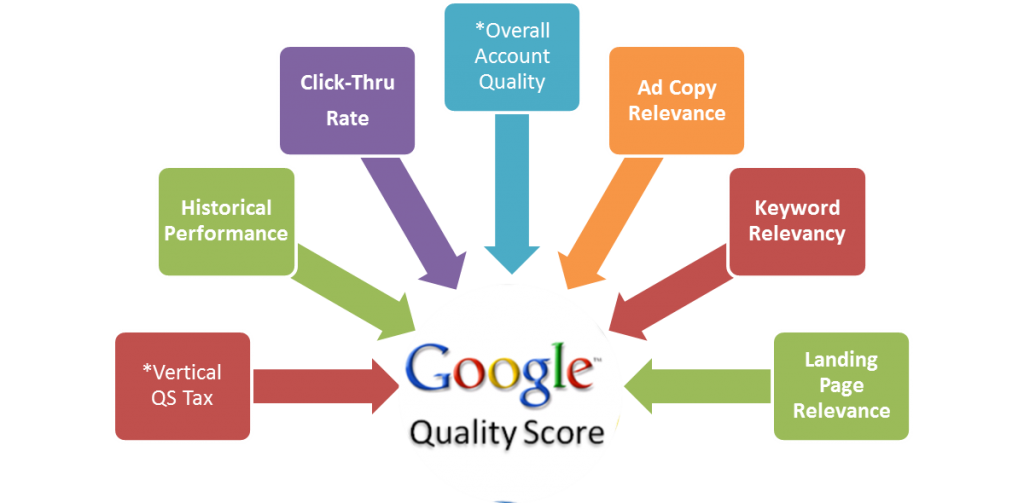
What Makes Up Quality Score?
Google calculates the score from historical data for searches that exactly match the keyword. Each component is compared with other advertisers’ results over the past 90 days and receives a status of “Above average,” “Average,” or “Below average.”
- Expected CTR. How likely the ad is to receive a click when shown. For diagnosis, look not only at the final score but also at the actual CTR by query and device.
- Ad relevance. How closely the copy and offer match the intent behind the search query.
- Landing page experience. How well the page matches the ad promise and whether it is useful, transparent, and easy to use, including on mobile.
How to View Quality Score
In Google Ads, open a search campaign, go to Keywords, and add Quality Score and its three components through the column settings: Landing Page Experience, Expected CTR, and Ad Relevance. You can also add historical values there and see how the scores changed by day.
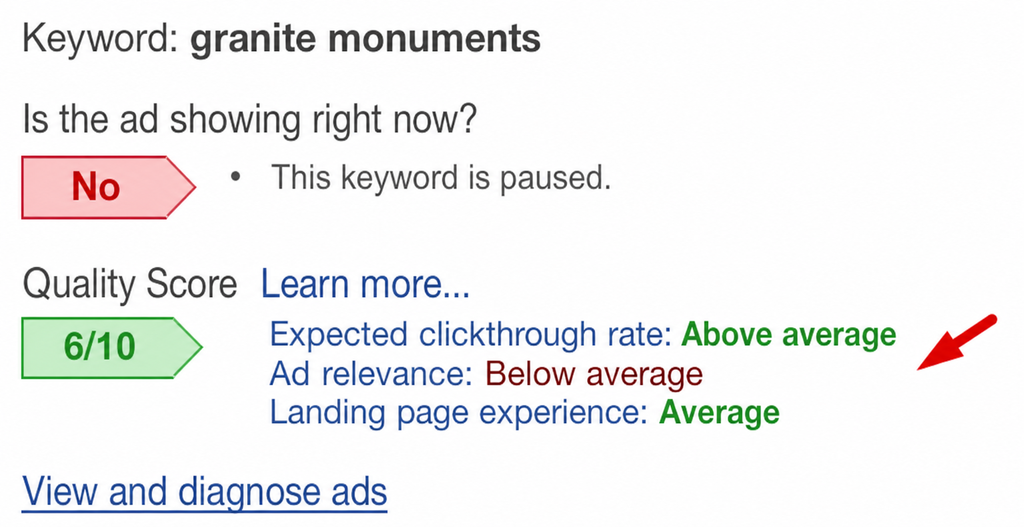
Start with “Average” and “Below average” components for meaningful keywords. The 1–10 number itself is less useful than the pointer to the part of the combination where the problem sits.
How to Improve Quality Score
Improve Ad Relevance
Match the ad wording to the user’s intent. Do not mix keywords with different jobs in one group when they need different copy or pages. Make the offer more specific, use negative keywords, and check targeting.
Increase Expected CTR
The ad should immediately explain what the user gets: a specific offer, how it differs from competitors, and a clear next action. Do not try to raise CTR with promises absent from the landing page. That will hurt user experience and conversion.
Improve the Landing Page
Send traffic to a page that answers the exact query, not the homepage or an overly broad category. Preserve the wording and offer from the ad, show important information without making users hunt for it, and provide clear navigation and fast loading.
Check the mobile version: text, forms, and the target action must work without zooming or horizontal scrolling.
What Not to Do for the Score
- Do not raise the bid only for Quality Score: the bid does not improve the diagnostic score.
- Do not split campaigns and groups without changing the ad or page: rearranging the structure alone does not improve quality.
- Do not optimize the 1–10 number separately from clicks, conversions, acquisition cost, and the business result.
Quality Score can change without account edits because the score is relative and depends on user behavior and other advertisers. Use it as a directional indicator, then make decisions from actual campaign results.
The current definition and review process are in the official Google Ads Help.
See the other terms in the glossary.